Crashing is part of FPV.
This may sound discouraging at first, but it is actually one of the most important truths beginners need to understand.
FPV drones are not like normal camera drones.
A 5-inch FPV drone is built to fly aggressively, react quickly, survive impacts, and be repaired when something breaks.
Even careful pilots crash.
Even experienced pilots break parts.
Even a well-built drone will eventually need repairs.
The goal is not to avoid every crash forever.
The goal is to crash smarter, inspect properly, repair correctly, and keep learning.
In this chapter, we will look at the most common FPV crashes and the parts that usually break first.
We will cover:
- why FPV drones crash
- what usually breaks first
- how to inspect after impact
- what can be repaired
- what should be replaced
- how beginners should think about crash damage
The goal is simple:
understand common FPV crash damage so you can repair your drone safely and confidently.
Crashes Are Not Failure
For beginners, the first crash can feel terrible.
You may think:
- “I broke my drone.”
- “I made a mistake.”
- “Maybe FPV is too hard.”
- “Maybe I should not fly.”
But crashing does not mean you failed.
Crashing means you are learning.
Every FPV pilot has crashed.
The difference is that experienced pilots know how to inspect and repair the drone afterward.
A crash is not the end of the build.
It is part of the learning cycle.
Why FPV Drones Crash
FPV drones crash for many reasons.
Common causes include:
- pilot overcorrection
- flying too fast too soon
- low altitude mistakes
- loss of orientation
- hitting branches
- hitting the ground during turns
- battery sag
- video breakup
- radio link issues
- propeller damage
- mechanical failure
- wrong flight mode
- poor throttle control
- wind
- panic
In beginner flying, most crashes are caused by pilot control mistakes.
That is normal.
The important thing is to keep early flights slow, low-risk, and in open areas.
The Most Common Beginner Crash
The most common beginner crash is simple:
the drone touches the ground or grass after losing altitude control
This often happens because the pilot:
- reduces throttle too much
- overcorrects
- turns too low
- becomes disoriented
- panics
- does not understand momentum yet
These crashes are usually not severe if the flight is low and slow.
That is why beginner flights should happen in open areas, away from hard obstacles.
What Usually Breaks First?
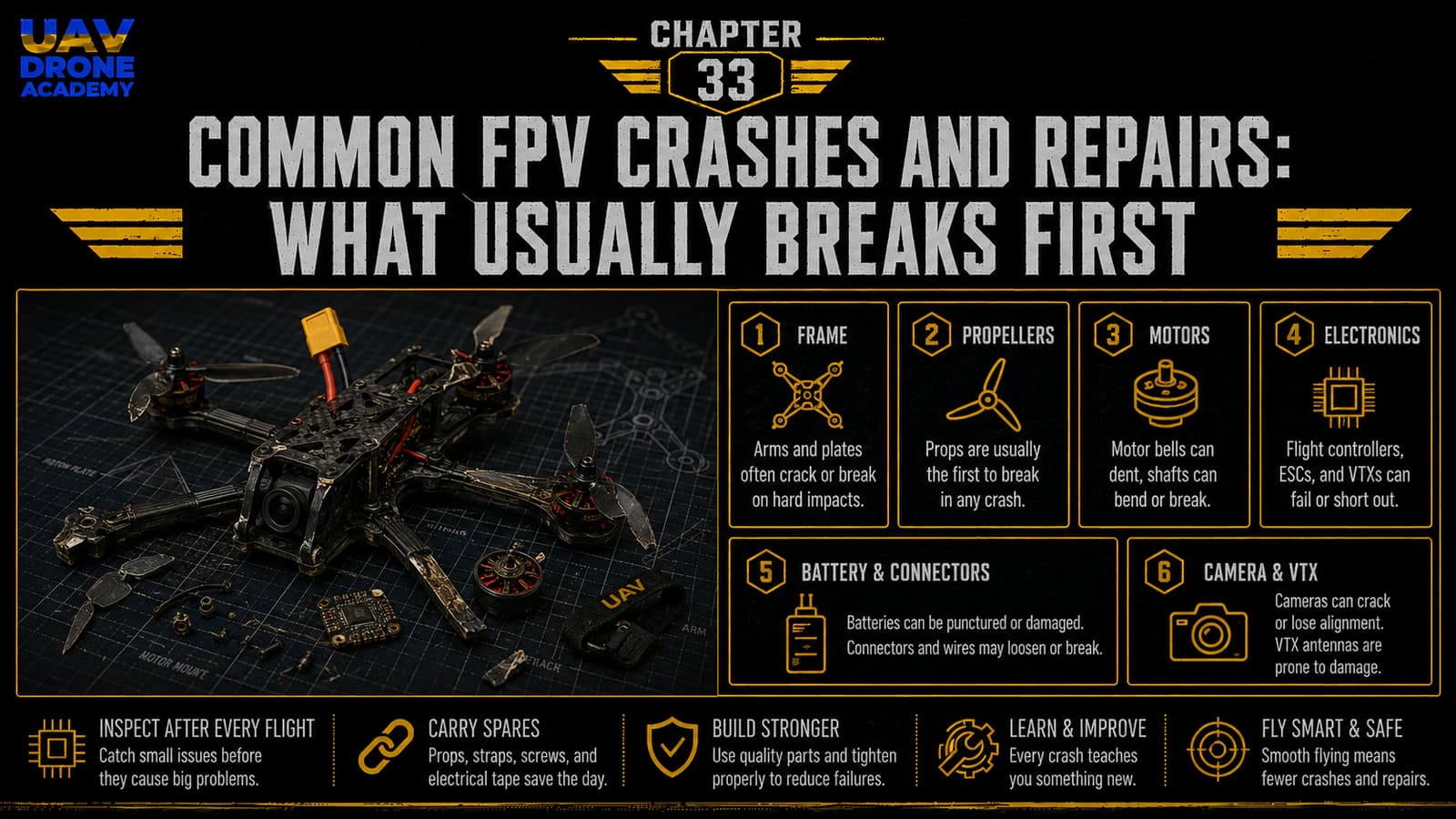
On a 5-inch FPV drone, the most commonly damaged parts are:
- Propellers
- Motor bells or motor shafts
- Frame arms
- FPV camera mounts or side plates
- Antennas
- Battery straps
- Motor wires
- XT60 leads
- VTX or receiver antenna cables
- Electronic boards in harder crashes
The good news is that many of these parts are replaceable.
That is why we chose a beginner-friendly, repairable 5-inch build.
1. Propellers
Propellers are usually the first parts to break.
This is expected.
Props are exposed, lightweight, and spinning at high speed.
They hit:
- grass
- dirt
- branches
- gates
- walls
- stones
- the ground
Common propeller damage includes:
- bent blades
- cracked blades
- chipped tips
- stress marks
- broken hubs
- dirt embedded in the blade
A damaged prop can cause vibration, bad flight behavior, hot motors, and poor control.
For beginners, the rule is simple:
when in doubt, replace the propeller
Propellers are cheap.
Motors and ESCs are not.
Can Bent Props Be Bent Back?
Sometimes a slightly bent prop can be bent back temporarily.
But this is not ideal.
A prop that looks acceptable may still be unbalanced.
An unbalanced prop can create vibration.
For early beginner flights, it is better to replace questionable props.
Clean, balanced props make the drone easier to fly and easier to diagnose.
2. Motor Bells
Motor bells can be damaged in crashes.
The motor bell is the rotating outer part of the motor.
It can become:
- dented
- scratched
- bent
- filled with dirt
- blocked by grass
- misaligned
After a crash, spin each motor by hand.
It should spin freely.
If a motor scrapes, grinds, or feels rough, do not fly again until you inspect it.
Motor Bell Damage Symptoms
Possible signs of motor damage include:
- grinding sound
- rough spinning
- motor wobble
- hot motor after short flight
- unusual vibration
- poor throttle response
- propeller wobble
- motor not spinning smoothly
If a motor bell is dented but still spins freely, it may still work.
But if it rubs against the stator or feels rough, the motor may need repair or replacement.
3. Motor Shafts
A hard crash can bend a motor shaft.
A bent shaft causes the motor and propeller to wobble.
This creates vibration and poor flight performance.
Signs of a bent shaft:
- propeller tip moves unevenly when spun
- motor vibrates
- motor sounds rough
- drone shakes in flight
- one motor heats more than others
Some motors allow shaft replacement.
But for beginners, replacing the motor may be simpler if the damage is serious.
4. Frame Arms
Frame arms are designed to take impact.
On a freestyle drone, arms are one of the most important replaceable parts.
A crash can cause:
- cracked arms
- delaminated carbon
- bent or shifted arms
- loose arm screws
- damaged motor mounting holes
After a crash, inspect each arm carefully.
Do not only look from above.
Look from the sides.
Flex the arm gently.
Check for cracks around screw holes.
A cracked arm can create vibration or fail during flight.
Why Replaceable Arms Matter
This is why beginner-friendly frames should have replaceable arms.
If one arm breaks, you should not need to replace the entire frame.
You replace only the damaged arm.
This keeps repair costs lower and makes the drone easier to maintain.
A frame like a Source One-style design is popular partly because replacement arms are accessible and affordable.
5. Camera Mounts and Side Plates
The FPV camera sits at the front of the drone.
That means it can take impact during crashes.
Common damage includes:
- shifted camera angle
- loose camera screws
- cracked side plates
- bent camera plates
- scratched lens
- cracked lens
- damaged camera cable
After a front impact, always check the camera.
If the camera angle changed, your next flight may feel strange.
A sudden camera angle change can confuse beginners.
FPV Camera Lens Damage
A scratched lens may still be usable.
A cracked lens or blurry image should be fixed.
Flying with a poor image makes FPV harder and more dangerous.
If your goggles image suddenly looks blurry after a crash, check:
- lens dirt
- lens scratches
- camera focus
- camera mount
- camera cable
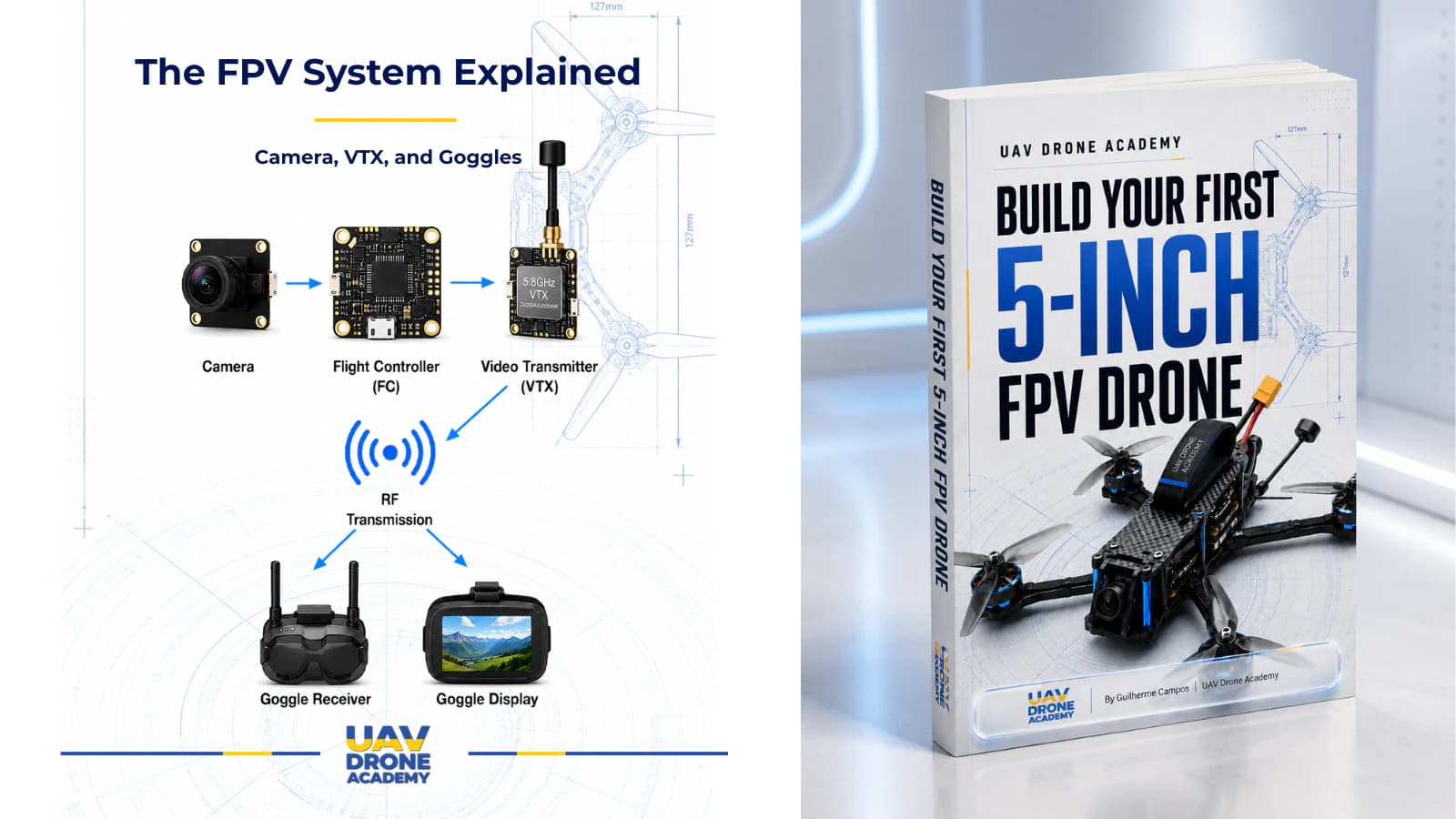
6. FPV Antenna
The FPV antenna is often exposed.
It can be damaged by:
- flipping over
- landing upside down
- hitting branches
- bending during crashes
- propeller strikes
- connector stress
A damaged FPV antenna can reduce video range and cause breakup.
Check:
- antenna shape
- antenna stem
- SMA or U.FL connector
- mount position
- cable damage
- whether it can touch props
If video performance becomes worse after a crash, inspect the antenna first.
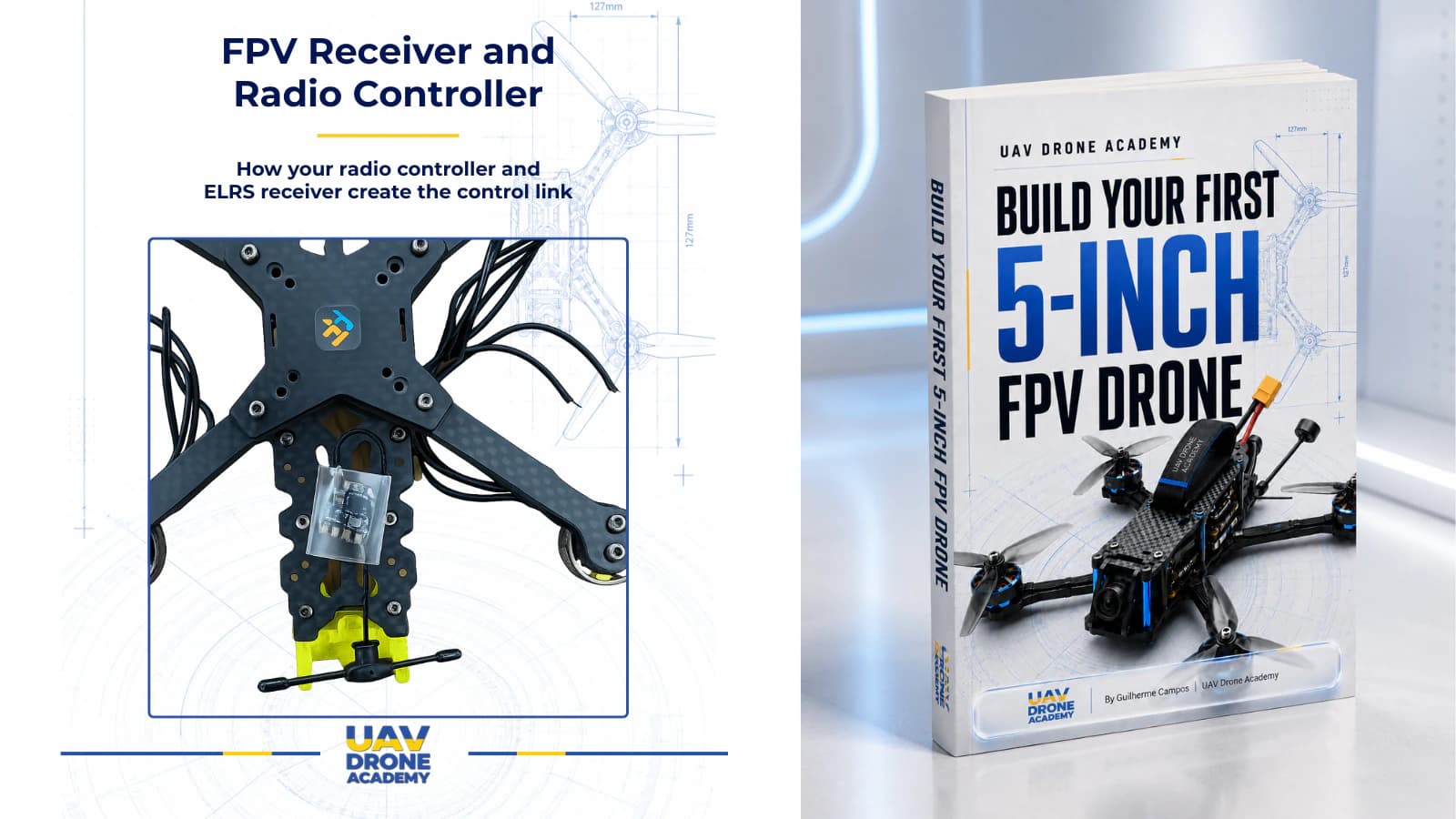
7. Receiver Antenna
The ExpressLRS receiver antenna is small but very important.
It can be damaged or moved during crashes.
Check:
- antenna is still connected
- antenna wire is not cut
- ceramic antenna is not cracked if using that type
- antenna is not buried in carbon
- antenna mount is secure
- antenna is away from props
A damaged receiver antenna can reduce control link reliability.
Do not ignore radio link warnings after a crash.
8. Battery Straps
Battery straps often get damaged during crashes.
They can:
- stretch
- tear
- loosen
- slip
- burn against carbon
- get cut by props
A weak battery strap can allow the battery to eject.
A battery ejection can damage:
- battery wires
- balance leads
- XT60 connector
- frame
- electronics
Replace worn straps early.
They are cheap and important.
9. Battery Damage
A crash can damage the LiPo battery.
This must be taken seriously.
Inspect the battery after every crash.
Look for:
- swelling
- punctures
- crushed corners
- damaged wrap
- exposed cells
- damaged balance lead
- damaged XT60 wire
- unusual heat
- strange smell
If a LiPo is punctured, swollen, or seriously damaged, do not charge it and do not fly it again.
Battery safety matters more than saving one pack.
10. Motor Wires
Motor wires run along the arms and are exposed to crash damage.
They can be:
- cut by propellers
- scraped by carbon
- pulled from ESC pads
- damaged by impact
- loosened by vibration
After a crash, inspect all motor wires.
Look for exposed copper or damaged insulation.
If a motor wire is damaged, repair it before flying again.
Do not fly with exposed motor wires.
11. XT60 Lead
The XT60 battery lead can be pulled, cut, or moved into propeller path during a crash.
Check:
- connector condition
- solder joints
- wire insulation
- lead routing
- strain relief
- whether the lead can reach props
A damaged XT60 lead can cause a serious short circuit.
If the battery lead is damaged, stop and repair it properly.
12. ESC and Flight Controller
In normal beginner crashes, the ESC and flight controller often survive because they are protected in the center of the frame.
But in harder crashes, they can be damaged.
Possible problems include:
- cracked board
- broken solder pad
- loose harness
- damaged gyro
- damaged voltage regulator
- burnt component
- ESC desync or failure
- motor output failure
Signs of electronic damage:
- burnt smell
- smoke
- no LEDs
- no USB connection
- one motor does not spin
- random rebooting
- bad gyro behavior
- OSD disappears
- receiver not detected
If electronics may be damaged, do not keep plugging in batteries repeatedly.
Inspect carefully first.
13. VTX Damage
The VTX can be damaged by:
- overheating
- antenna impact
- broken antenna connector
- wire damage
- power issues
- crash stress
Symptoms include:
- no video
- weak video
- heavy static
- VTX not changing channel
- VTX overheating unusually
- SmartAudio not working
- OSD visible but no clean image
- no signal in goggles
Always check the antenna connection before blaming the VTX.
Powering a VTX without a proper antenna can damage it.
14. Receiver Damage
Receiver damage is less common than prop damage, but it can happen.
Symptoms include:
- no radio link
- frequent RXLOSS warning
- poor link quality
- receiver LED not powering
- no stick movement in Betaflight
- damaged antenna
- broken solder joints
If receiver link becomes unreliable after a crash, inspect the receiver wiring and antenna first.
What to Do Immediately After a Crash
After a crash, follow this sequence:
- Disarm immediately.
- Do not rearm automatically.
- Locate the drone.
- Disconnect the battery.
- Inspect the battery first.
- Inspect propellers.
- Inspect motors.
- Inspect frame.
- Inspect wires and antennas.
- Decide if the drone is safe to fly again.
Do not rush.
A second takeoff after an unchecked crash often causes more damage than the first crash.
Turtle Mode Warning
Turtle Mode, also called Flip Over After Crash, can help flip the drone over after landing upside down.
But it should be used carefully.
Do not use Turtle Mode if:
- props are blocked by grass
- props are stuck in dirt
- a motor is jammed
- the battery is loose
- a propeller is broken
- people are nearby
- you cannot see the drone clearly
Turtle Mode can stress motors and ESCs if props are obstructed.
For beginners, walking to the drone is often safer than using Turtle Mode repeatedly.
How to Decide: Repair or Replace?
Beginners often ask whether a damaged part can be repaired.
Use this simple rule:
if the part affects safety, control, or power reliability, replace it when uncertain
Examples:
- damaged prop: replace
- swollen battery: do not reuse
- cracked arm: replace
- exposed wire: repair before flying
- questionable antenna: replace if signal is affected
- rough motor: inspect or replace
- burnt electronics: diagnose carefully before powering again
Do not risk the whole drone to save one damaged part.
Basic Repair Tools
For common crash repairs, useful tools include:
- hex drivers
- spare propellers
- spare screws
- soldering iron
- solder
- flux
- heat shrink
- electrical tape
- zip ties
- tweezers
- multimeter
- small brush
- spare battery straps
These are the same practical tools introduced earlier in the series.
FPV repair is much easier when your tools are organized.
Repairing Propeller Damage
This is the easiest repair.
Steps:
- Remove damaged prop.
- Inspect motor shaft.
- Install correct replacement prop.
- Confirm direction.
- Tighten prop nut.
- Spin by hand.
- Check clearance.
Always confirm the replacement prop matches motor direction.
Do not install props based only on color.
Repairing a Broken Arm
A broken arm is a common freestyle repair.
Basic process:
- Remove propeller.
- Remove motor from damaged arm.
- Remove damaged arm screws.
- Install replacement arm.
- Reinstall motor with correct screw length.
- Route motor wires safely.
- Check frame alignment.
- Recheck motor direction and prop clearance.
After replacing an arm, inspect motor wires carefully.
A hard arm impact can also damage wires or motor screws.
Repairing Motor Wire Damage
If a motor wire is cut or exposed:
- Disconnect battery.
- Remove propeller.
- Inspect damage.
- Replace or shorten wire if needed.
- Resolder to ESC pad if necessary.
- Use heat shrink or insulation.
- Check continuity.
- Test motor without props.
Do not twist exposed wires together and fly.
Repair properly.
Repairing Antenna Damage
If an antenna is damaged:
- replace the antenna if the radiator is broken
- replace antenna mount if loose
- inspect U.FL or SMA connector
- confirm antenna is secure
- verify video or radio link before flying
A weak antenna can cause signal problems that appear only in flight.
Do not ignore this.
Repairing Camera Angle Shift
If the camera moved:
- Loosen side screws slightly.
- Set a moderate angle.
- Tighten screws evenly.
- Check image in goggles.
- Make sure wires are not pinched.
For beginner flying, avoid extreme camera angles.
A camera angle that is too high encourages speed and makes slow flight harder.
Repairing Loose Screws
If screws loosen repeatedly:
- inspect threads
- check screw length
- replace damaged screws
- use threadlocker only on metal-to-metal threads
- avoid threadlocker near plastic and electronics
Loose screws cause vibration and can make the drone feel unreliable.
When to Stop Flying for the Day
Stop flying if:
- you are tired
- you are frustrated
- drone behavior changed suddenly
- motors are hot
- battery is damaged
- frame is cracked
- video is unreliable
- radio link warnings appear
- you do not have spare parts
- you are not sure if the drone is safe
Many expensive mistakes happen after the pilot should have stopped.
Knowing when to stop is part of being a good FPV pilot.
Common Beginner Crash Mistakes
Rearming Immediately After a Crash
Do not rearm without inspection.
A prop could be broken, a motor could be jammed, or a wire could be damaged.
Flying With Bent Props
Bent props cause vibration and can lead to worse problems.
Replace them.
Ignoring a Hot Motor
Hot motors are warning signs.
Stop and inspect.
Using Turtle Mode When Props Are Blocked
This can damage motors and ESCs.
Use it carefully.
Assuming a Small Crash Caused No Damage
Small crashes can still loosen screws or damage wires.
Inspect.
Reusing a Damaged Battery
This is dangerous.
Do not reuse damaged LiPo packs.
Beginner Crash Inspection Checklist
After every crash, check:
Safety
- disarmed
- battery disconnected
- no smoke
- no burning smell
- battery safe
Propellers
- no cracks
- no bent blades
- no broken hubs
- prop nuts tight
Motors
- bells spin freely
- no grinding
- no grass wrapped around shaft
- no bent shaft
- screws tight
Frame
- arms not cracked
- plates not broken
- screws tight
- stack secure
Wires
- no exposed copper
- motor wires safe
- XT60 lead safe
- antenna wires safe
FPV System
- camera angle correct
- lens clean
- VTX antenna secure
- video signal normal
Receiver
- antenna secure
- link quality normal
- no repeated RXLOSS warnings
Battery
- no swelling
- no puncture
- no damaged wires
- voltage safe
Only fly again if the drone passes inspection.
What We Have Completed
At this stage, we have learned how to understand and respond to common FPV crash damage.
We covered:
- why FPV drones crash
- why crashes are part of learning
- what usually breaks first
- how to inspect propellers
- how to inspect motors
- how to identify frame damage
- how to check antennas and wires
- how to approach basic repairs
- when to stop flying
This knowledge is essential for long-term FPV ownership.
A beginner who can inspect and repair small problems becomes much more confident.
Our Build Philosophy Moving Forward
The philosophy remains:
repairability is part of the design
This is why we built a simple, popular, accessible 5-inch drone.
A good beginner drone should not be mysterious.
You should be able to:
- replace props
- replace arms
- replace motors
- repair wires
- inspect antennas
- understand failures
- keep flying
Every repair teaches you more about the machine.
Conclusion
FPV crashes are normal.
They are part of learning, training, and improving.
The most common parts to break first are usually:
- propellers
- motor bells
- motor shafts
- frame arms
- camera mounts
- antennas
- battery straps
- motor wires
- sometimes electronics in harder crashes
The key is not to panic.
After a crash:
- disarm
- disconnect the battery
- inspect carefully
- repair properly
- fly again only when the drone is safe
A good FPV pilot is not someone who never crashes.
A good FPV pilot is someone who understands the drone, repairs it correctly, and keeps improving.
In the next chapter, we will explore beginner-friendly upgrades that can make your first 5-inch FPV drone more useful, easier to recover, and better prepared for future flying.
Next Chapter
Beginner FPV Upgrades: Buzzer, GPS, LEDs, and Better Antennas